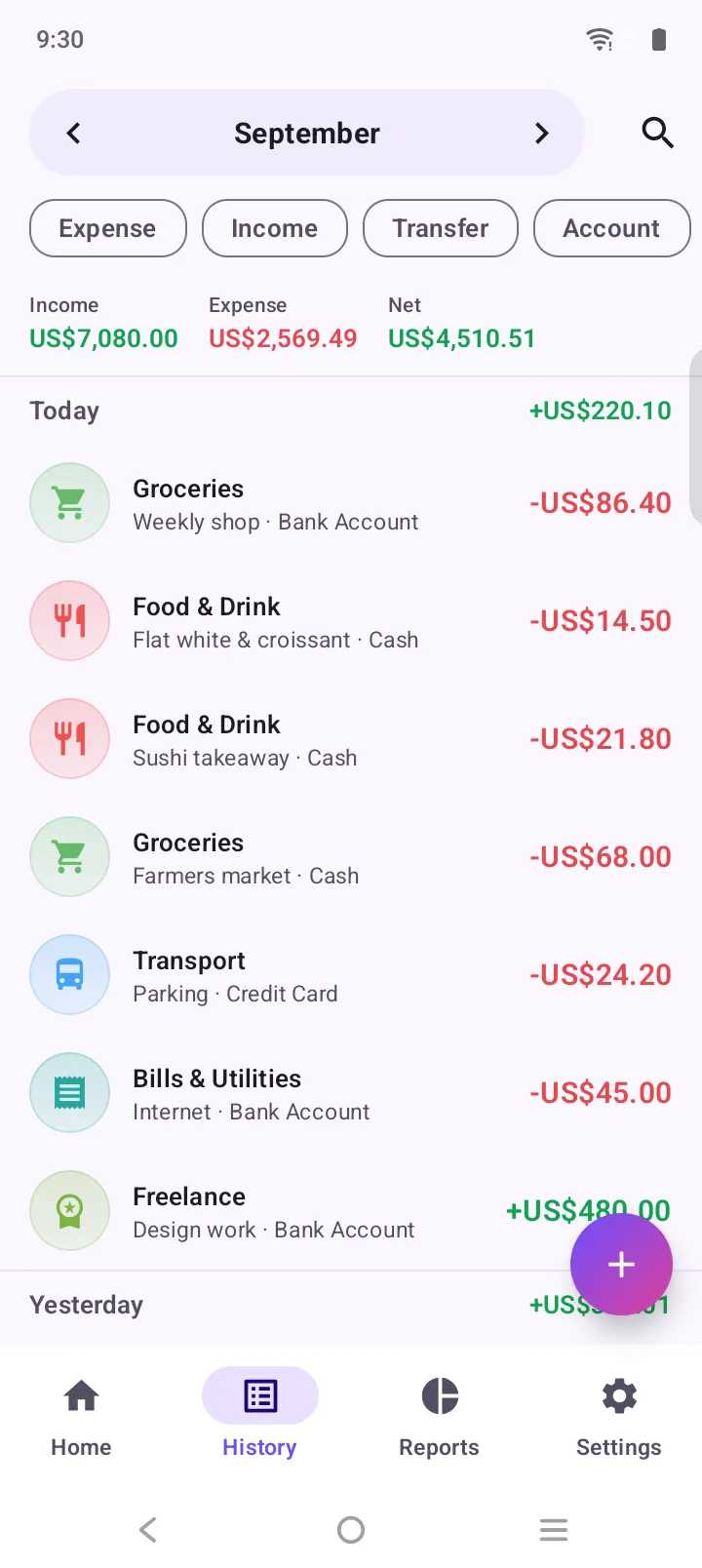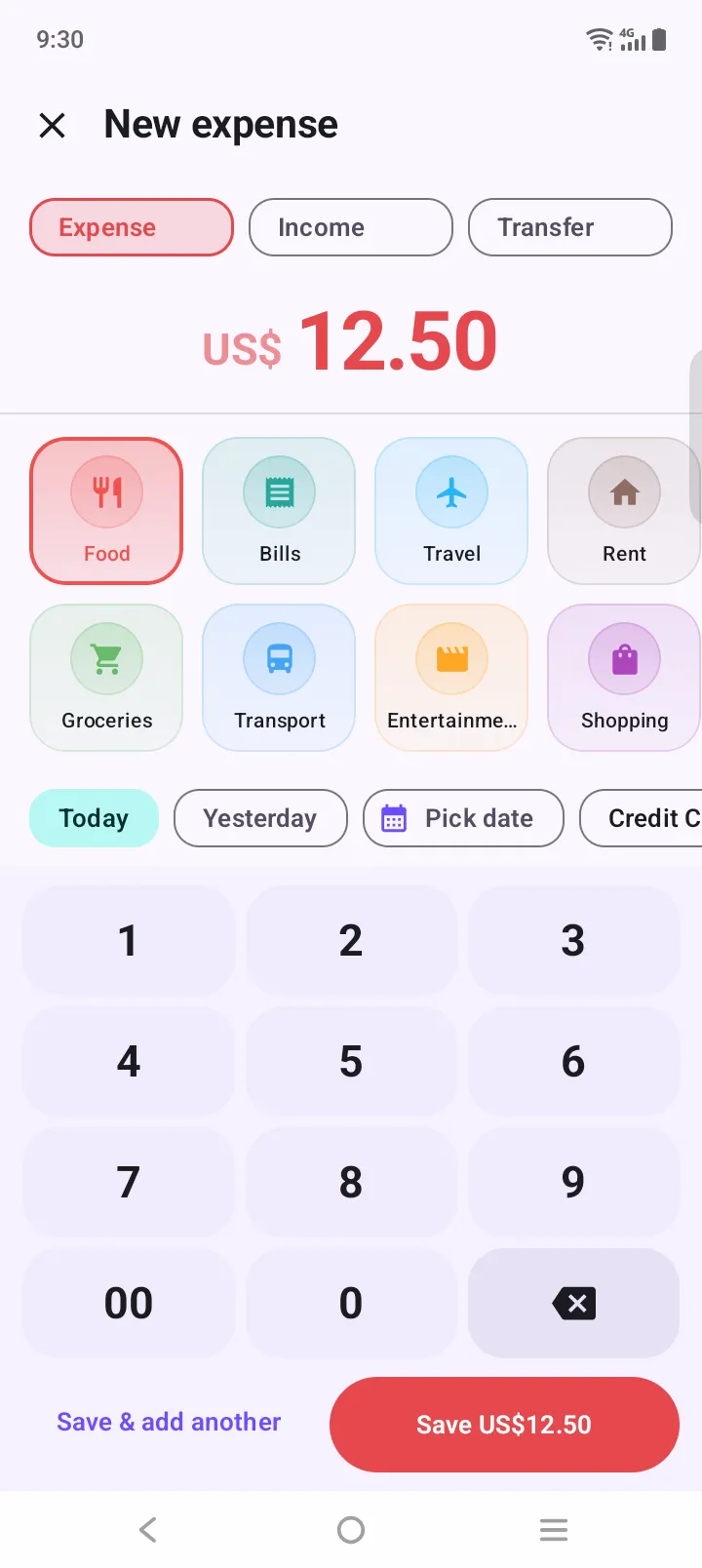
Log it in three taps
Tap +, type the amount, pick a category. Saved. A half-typed entry survives if you get interrupted.
Expense Manager never asks for your bank login. Log a purchase in three taps, set budgets that follow your payday, and keep your transactions on your own phone. No sign-up, works offline.
Yes, you can budget without linking your bank account. Expense Manager is a free Android budget app that never asks for your bank login and needs no account or sign-up. You log each purchase yourself in about three taps, set category budgets that can follow your payday, and your transactions, accounts and budgets are stored on your phone. It works offline.
Updated
To import transactions automatically, a bank-linked app connects through a third-party service using your banking login, then keeps a copy of your history on its servers. Expense Manager skips the bridge.
No bank feed doesn’t mean a spreadsheet. The app is built so that logging by hand takes less time than unlocking a banking app.
Tap +, type the amount, pick a category. Saved. A half-typed entry survives if you get interrupted.
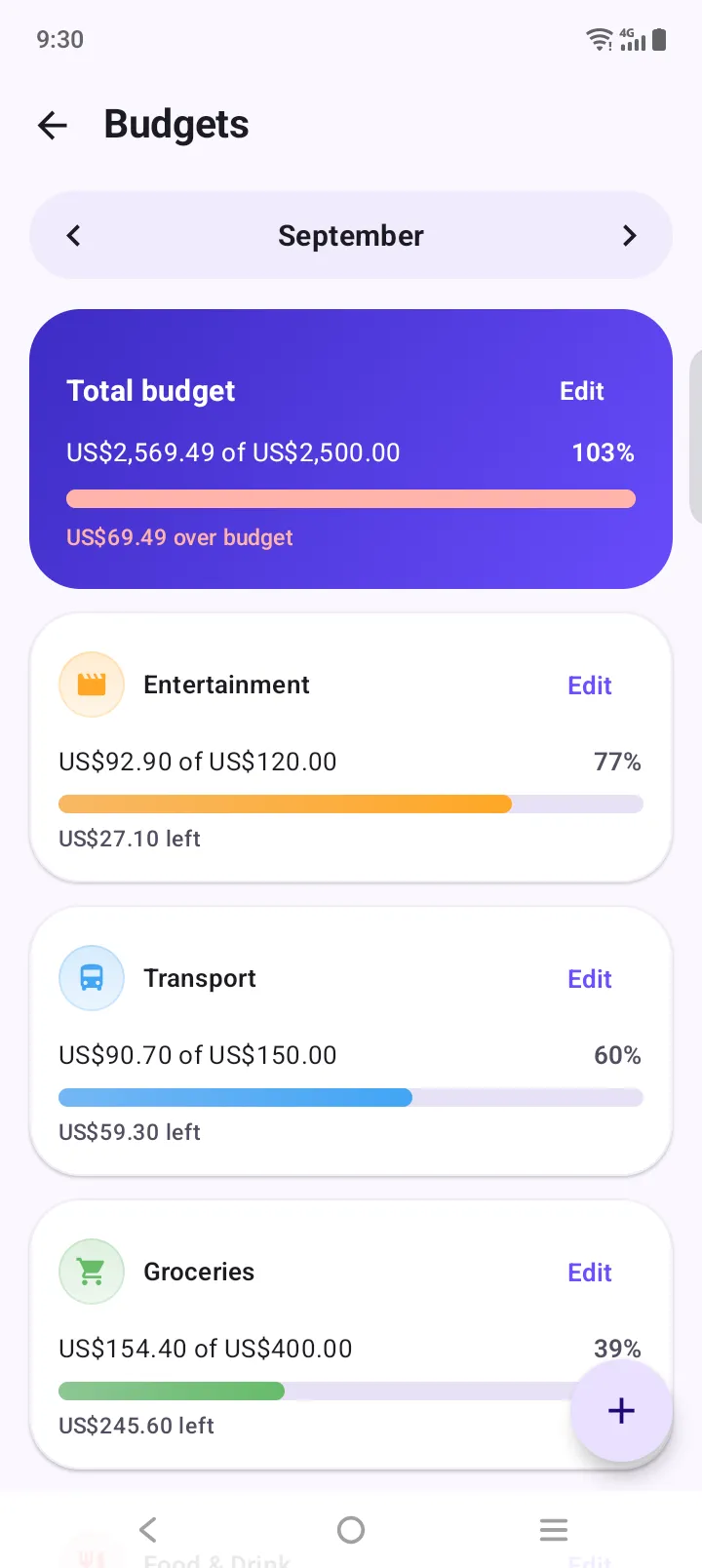
Give each category a limit. Bars turn amber at 85% and red when you go over, and your month can start on payday.
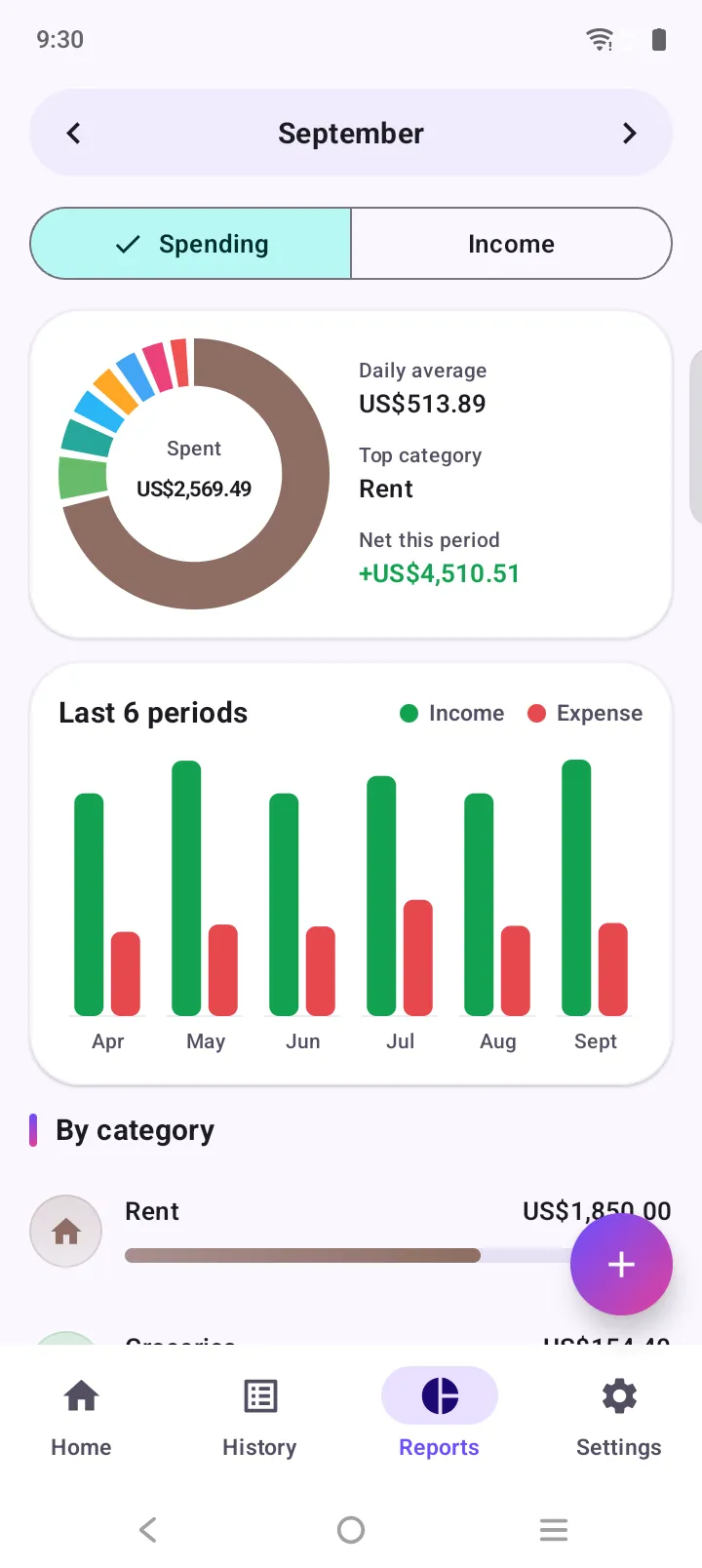
Charts by category and over time. Tap any slice to see the transactions behind it.
Bank syncing is convenient, but it comes with trade-offs that are easy to miss when you tap “Link account”. You hand your login, or an access token made from it, to a company that isn’t your bank. A copy of every transaction lives on someone else’s servers. And when the connection drops, which bank links regularly do, your budget quietly falls behind until you re-link.
A budget app without bank linking avoids all three. You decide what goes in, the data stays on your device, and there is no connection to break. The cost is a few seconds per purchase, and that small moment is useful: typing “$38 takeaway” makes it register in a way an auto-imported line never does.
If you want your old history, you can still bring it in with a one-time CSV import from your bank or previous app. Nothing stays linked afterwards.
An honest comparison, including the one thing bank syncing does that we don’t.
| Feature | Typical bank-linked app | Expense Manager |
|---|---|---|
| Bank username and password | Entered through a third-party connection service | Never asked for |
| Account needed | Email sign-up, often with a password and 2FA | None. Install and start |
| Where your transactions live | Copied to the company’s servers | Stored in the app on your phone |
| Works with no signal | Usually needs a connection to sync | Yes, fully offline |
| Cash spending | Invisible unless you add it by hand | Logged like everything else |
| Bank connection breaks | Re-link and wait for data to catch up | Nothing to break |
| Transactions import automatically | Yes | No. You log entries yourself, in a few taps |
| Price | Often a monthly subscription | Free, no subscription |
Bank feeds miss cash completely. Here a cash coffee and a card coffee are logged the same way.
Many local banks and credit unions never show up in sync lists. Manual logging works with every bank on earth.
Your banking login stays between you and your bank. That’s the whole point of a login.
Typing the amount yourself takes seconds and makes each purchase register. Auto-imports are easy to skim past.
Cards, cash, wallets and savings each get an account in the app, with transfers between them.
Underground, abroad or offline, logging, budgets and reports keep working.
Common questions about keeping a budget with no bank connection and no login.
Yes. Expense Manager is a free Android budget app that never asks for your bank login. You log spending yourself in about three taps, and your transactions, accounts and budgets are stored on your phone.
No. There is no sign-up, no email and no password. Install the app and start logging straight away.
It takes a few seconds: tap +, enter the amount, pick a category, save. Recurring bills like rent and subscriptions can be set up once and are added for you on schedule.
Your data lives on your phone, and you can lock the app with your fingerprint or face. For safety against a lost phone, export a full JSON backup or a CSV file whenever you like and keep it wherever you choose.
Yes, optionally. Download a CSV from your bank or your old app and import it. The app shows a dry run first: how many rows it can read and what it would create. Nothing is linked; it’s a one-time file import.
It is free to download and use, with no subscription.
Not yet. Expense Manager is currently available for Android on Google Play.
Free on Google Play. No account, no sign-up. Your first expense is three taps away.