
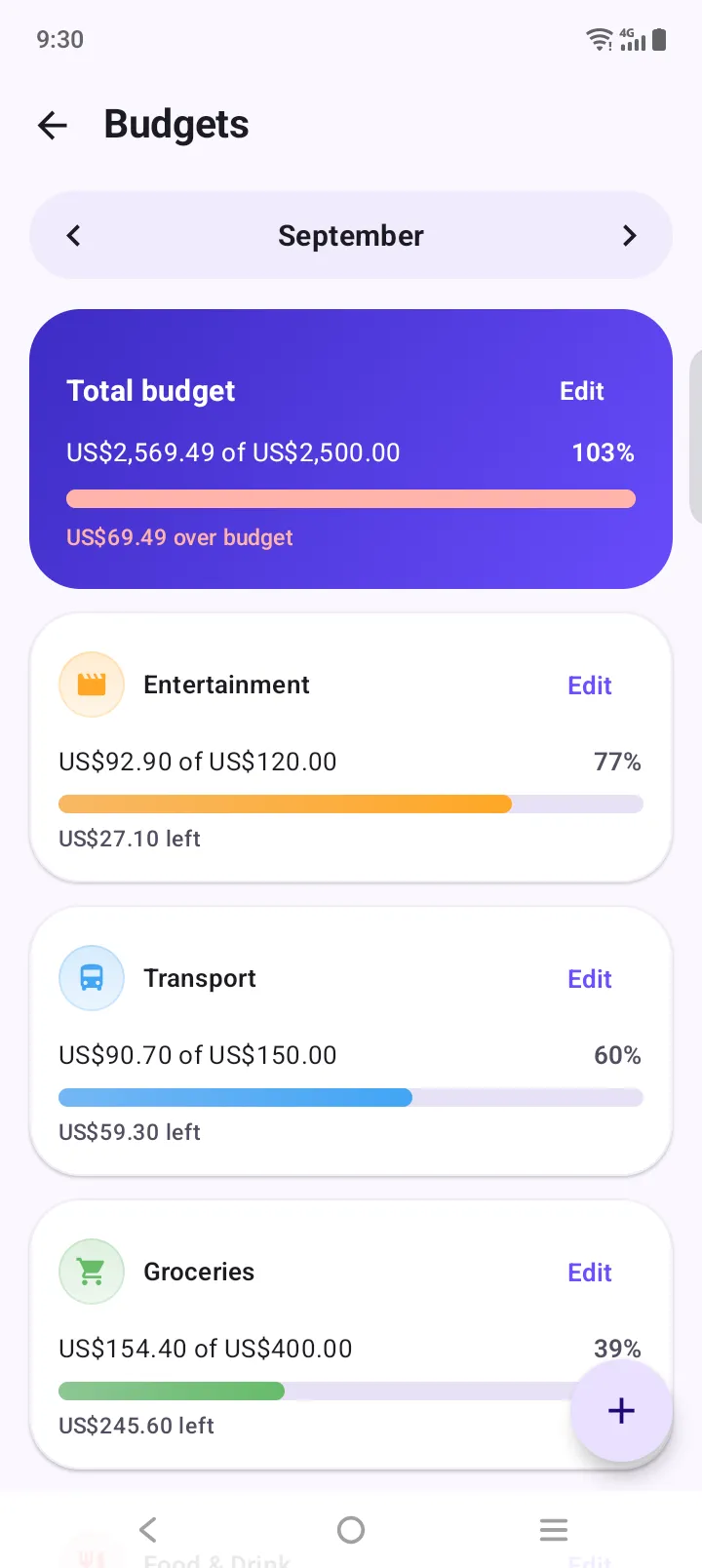
Create the four categories
Add Needs, Wants, Culture and Unexpected (or rename existing ones) and give each a monthly budget.
Kakeibo has helped households save for over a century with one idea: write every expense down and reflect on it. Use the free template below, or set up the four kakeibo categories in a free app in two minutes.
A kakeibo template has four parts: your monthly income, your fixed costs, a savings goal, and a spending log split into the four kakeibo categories: Needs, Wants, Culture and Unexpected. At the end of the month you answer four questions: How much money do I have? How much would I like to save? How much am I spending? How can I improve?
Updated
Every purchase goes into exactly one. The split tells you more than the total.
Things you need to live: groceries, rent, bills, transport, medicine.
Nice but optional: eating out, shopping, streaming, hobbies.
Things that grow you: books, museums, concerts, courses.
One-offs you didn’t plan: repairs, gifts, a doctor’s visit.
Type your numbers. The sheet works out what you can spend and how the four categories split. Nothing leaves this page.
Expense Manager is a free Android app with no account. Custom categories and budgets are all kakeibo needs.
Add Needs, Wants, Culture and Unexpected (or rename existing ones) and give each a monthly budget.
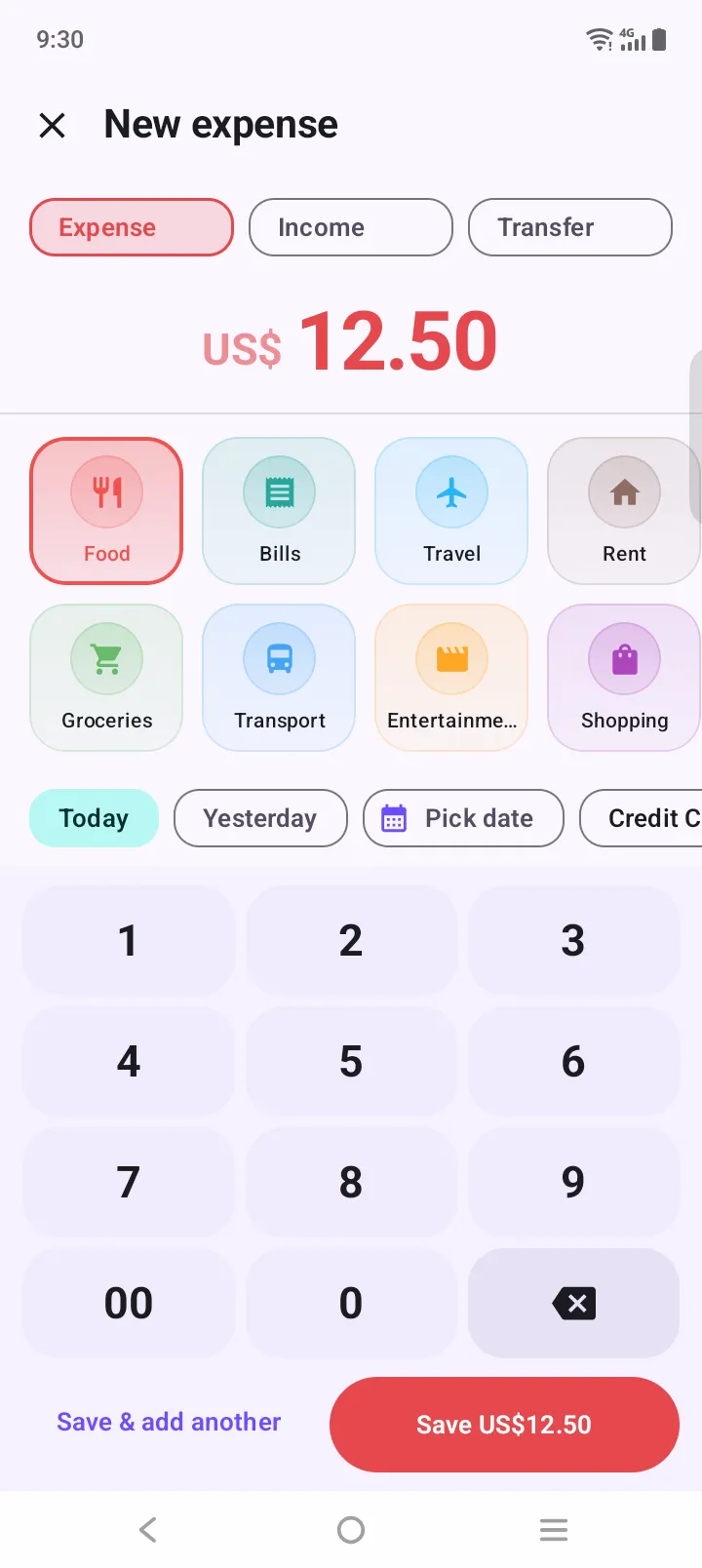
Three taps: amount, category, save. Add a note when you want to remember why.
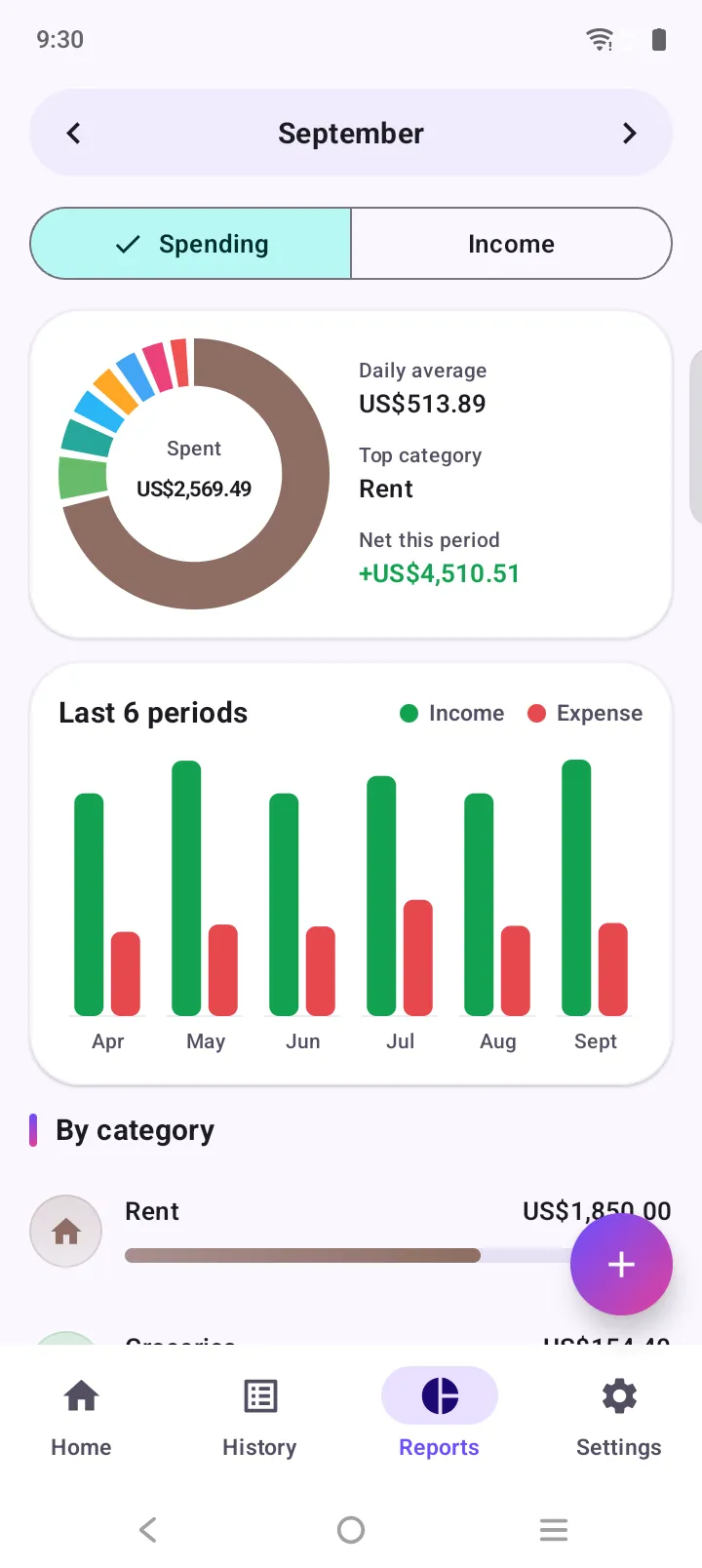
At month end, the category donut shows how the four pillars split. Then answer the four questions.
Kakeibo doesn’t ask you to cut everything. It asks you to notice. Writing each purchase down, and deciding which pillar it belongs to, creates a small pause between wanting something and buying it. Over a few months the Wants and Unexpected columns usually shrink on their own, because you can see them.
The reflection matters as much as the log. “How can I improve?” is a gentle question: one realistic change per month beats a strict plan you abandon in a week.
Both work. Many people log in an app and keep the monthly reflection on paper.
| Feature | Paper kakeibo journal | Kakeibo in Expense Manager |
|---|---|---|
| Writing each expense | By hand, slow and deliberate | Three taps, a few seconds |
| Category totals | Added up by hand each week | Calculated automatically |
| Budget per category | Worked out on paper | Progress bars, amber at 85% |
| Always with you | Only if you carry the book | On your phone, works offline |
| Month-to-month trend | Flip back through pages | Six-period trend in reports |
Kakeibo (家計簿, “household account book”) is a Japanese budgeting method created by journalist Hani Motoko in 1904. You write down income, a savings goal and every expense by hand, sort spending into four categories, and reflect on four questions at the end of each month.
Needs (survival: food, rent, bills, transport), Wants (optional: eating out, shopping, entertainment), Culture (books, museums, concerts, learning) and Unexpected (one-off costs such as repairs or gifts).
How much money do I have? How much would I like to save? How much am I spending? How can I improve?
Yes. The interactive kakeibo template on this page works out your available money after fixed costs and savings, and totals the four categories as you type. Nothing you enter leaves the page.
You can run kakeibo in Expense Manager, a free Android app with no account: create four categories called Needs, Wants, Culture and Unexpected, give each a monthly budget, and review the category report at the end of the month. It is a general expense tracker, not a dedicated kakeibo app.
Traditionally yes, because writing slows you down and makes you notice each purchase. Many people now log in an app instead but keep the monthly reflection on paper. The awareness matters more than the pen.
Free on Google Play. No account, no sign-up. Your first expense is three taps away.