Most budgeting advice quietly assumes your money arrives on the 1st of the month. For a lot of people, it doesn’t. You might be paid on the 25th, the 15th, the last Friday of the month, or every two weeks. Yet many budgets still reset on the 1st, as if the calendar had anything to do with your bank balance.
That mismatch causes a surprising amount of stress. Here’s why, and what to do instead.
The problem with calendar months
Imagine you’re paid on the 25th. With a calendar-month budget, here’s what happens:
- On the 25th, your salary lands, but your “September budget” has only five days left. The money feels like it belongs to some future month.
- On the 1st, a new budget month begins, but you’ve already spent a week of your pay on rent, bills and groceries. The new month starts in a hole.
- Around the 20th, money is tight. Your budget says you still have room in several categories, but your account says otherwise.
Your budget and your real life are out of sync by almost a week. You’re constantly translating between the two, and every translation is an opportunity for mistakes, or for giving up.
The fix: start your budget month on the day you’re paid
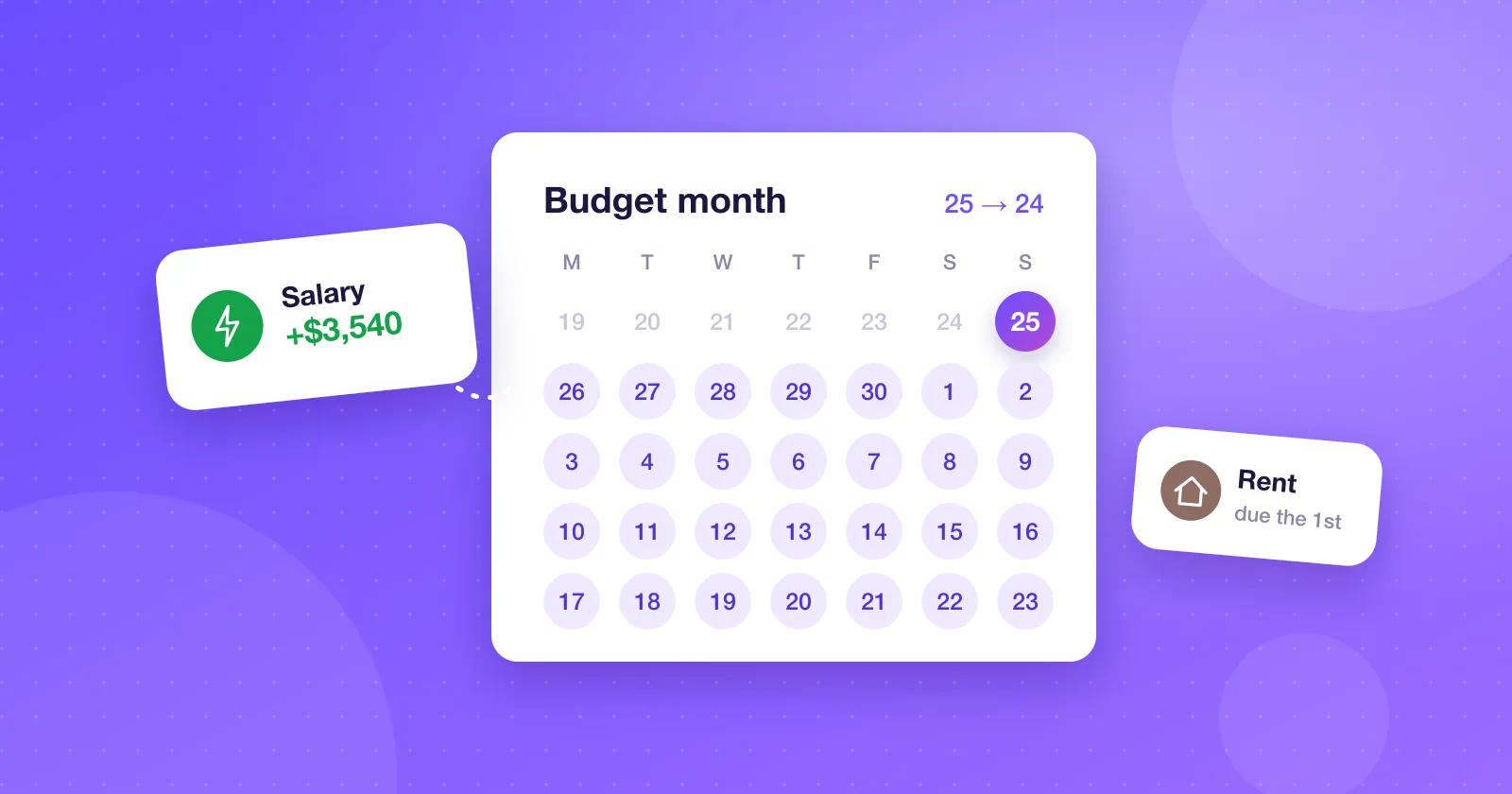
If you’re paid on the 25th, your budget month runs from the 25th to the 24th. That’s it. Now the logic lines up:
- Money arrives, and a fresh budget period begins at the same moment.
- Big fixed costs like rent and bills come out early in the period, from money you actually have.
- Whatever’s left in each category genuinely needs to last until the next paycheck, and your budget shows exactly that.
When your budget reflects the money you have, the numbers become trustworthy. And a budget you trust is a budget you’ll actually use.
“But my bills are due on fixed calendar dates”
They usually are, and that’s fine. A payday-based month doesn’t move your bills; it just changes which period they belong to.
Say rent is due on the 1st and you’re paid on the 25th. With a payday budget, rent falls a week into the period, paid from the paycheck that just arrived. That’s exactly how it works in real life anyway. The budget simply stops pretending otherwise.
The one thing to watch for is a bill that falls just before payday. If your phone bill is due on the 23rd and you’re paid on the 25th, it lands at the very end of the period, when money is tightest. It’s worth setting aside that amount early, or asking the provider to move the due date. Many will.
What about biweekly or irregular pay?
If you’re paid every two weeks, there are a few approaches:
- Budget per paycheck. Each paycheck gets its own mini-budget covering the bills that fall before the next one. Precise, but more work.
- Budget monthly from your first paycheck of the month. Treat the first paycheck as the start of the month and the second as extra breathing room for the second half.
- Budget on the lower monthly total. Most months have two paychecks; a couple of months a year have three. Budget on two, and treat the third as a bonus for savings or irregular costs.
For irregular income from freelancing or commission, pick a start day that roughly matches when most of your money arrives, and budget on a conservative estimate of a typical month.
Setting it up
In Expense Manager, you can choose the day your month starts in Settings. Pick your payday and every budget period and every report follows that cycle instead of the calendar. You can also set which day your week starts on, if you think in weeks.
It’s a small setting, but it changes how everything else feels. Reports compare pay period to pay period, so you’re comparing like with like. Budgets reset when money arrives. And that dreaded end-of-month squeeze shows up clearly in the numbers, before it shows up in your account.
Try it for two cycles
If you’ve always budgeted by calendar month, switching feels odd at first. Give it two full pay cycles. Most people find the budget suddenly “makes sense” in a way it didn’t before, because for the first time, it’s describing the money they actually have.